
[email protected]
Before you begin
You must be signed in to Google with an account that has Owner access to the Business Profile you want to share. Only owners can add or remove other people from a profile.Step 1: Open your Business Profile
Go to the Google Business Profile Manager and find the business you want to share. Click See your profile on the right side of the listing.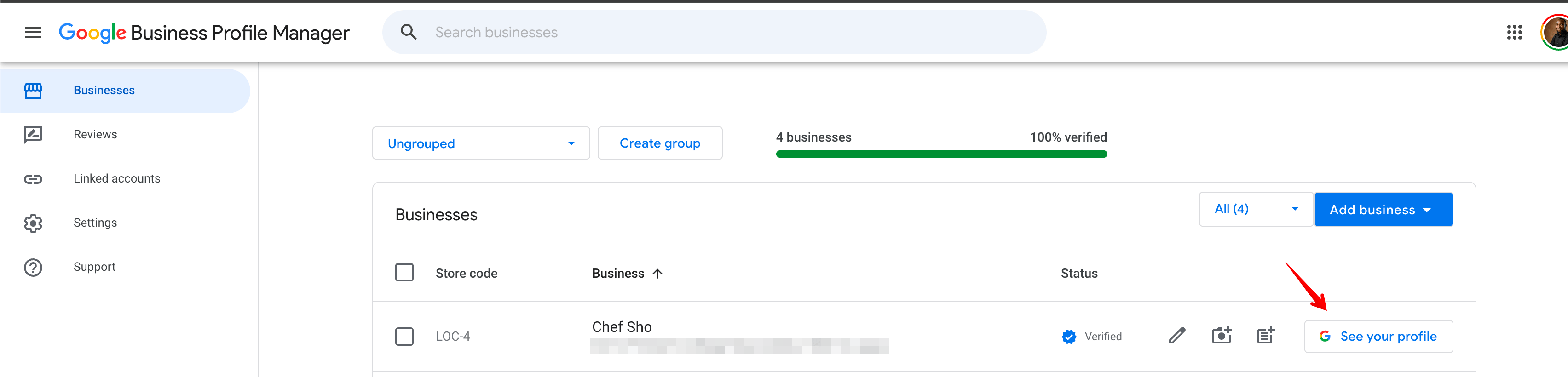
Step 2: Open Business Profile settings
Your profile will open directly on Google Search. Click the three-dot menu next to “Profile strength”, then select Business Profile settings.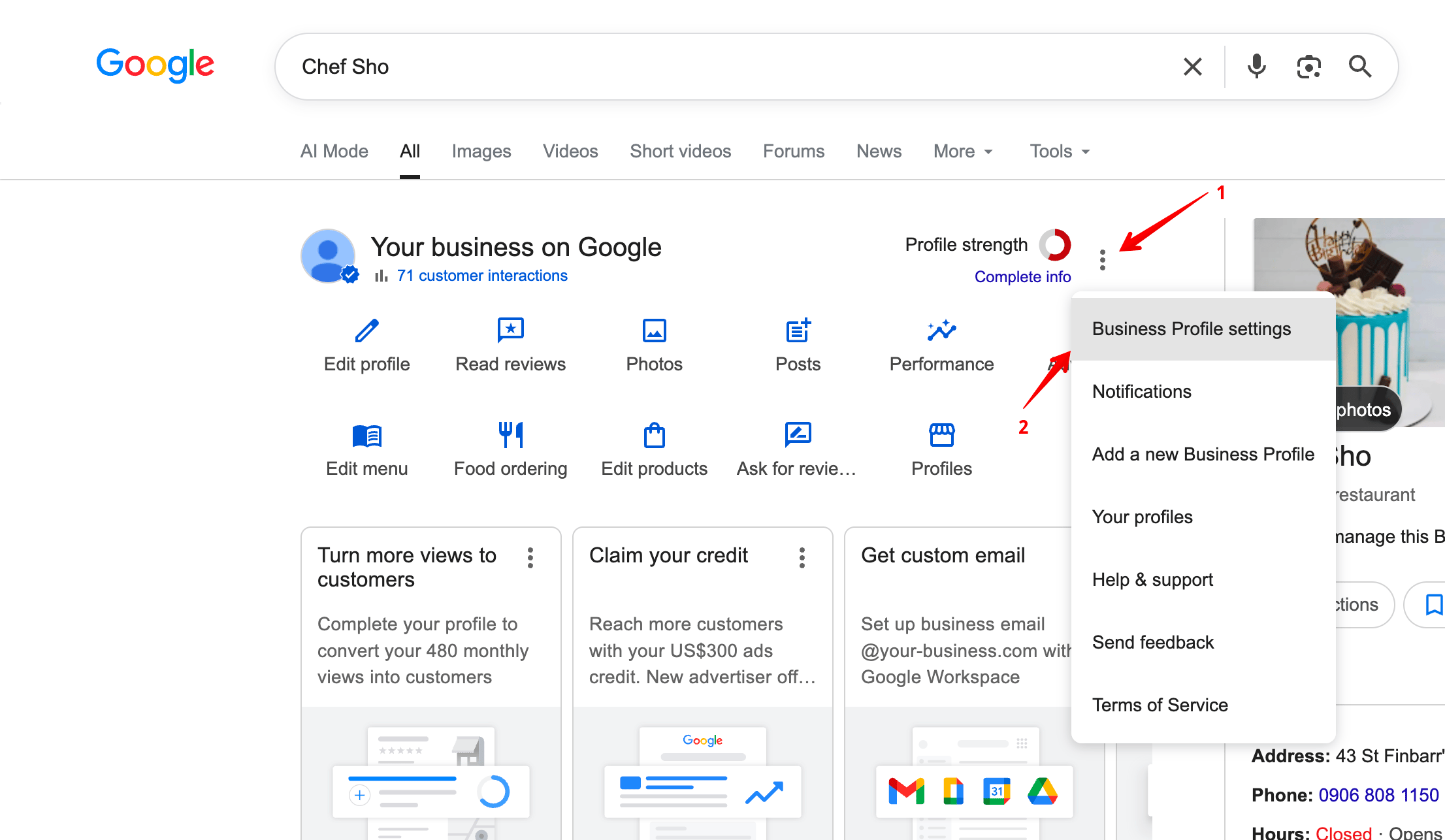
Step 3: Go to People and access
In the settings panel, click People and access.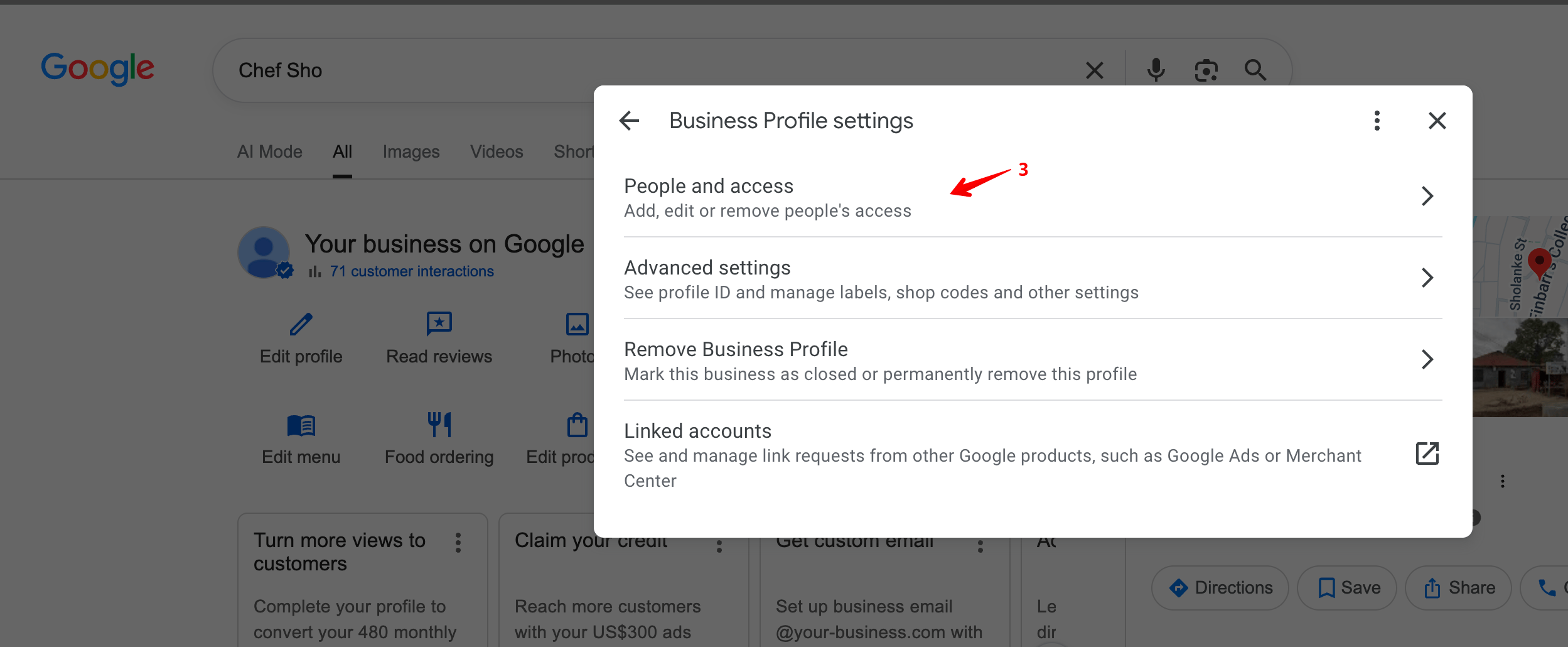
Step 4: Click Add
You will see a list of everyone who currently has access to the profile. Click the Add button to invite a new person.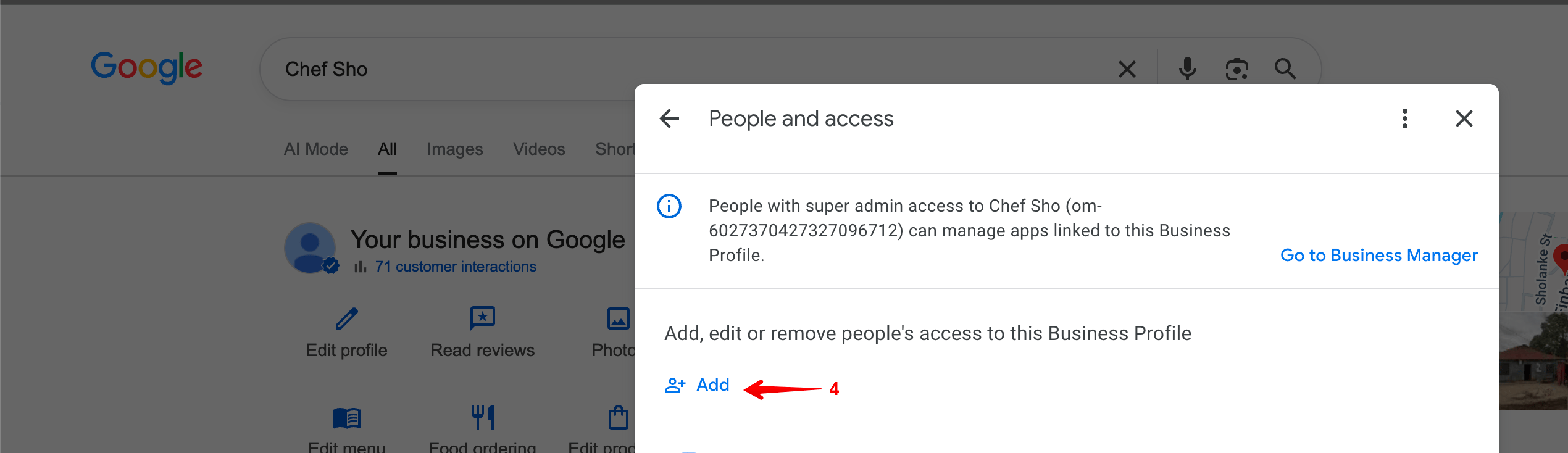
Step 5: Invite Massive Support as a Manager
In the “Add person” dialog: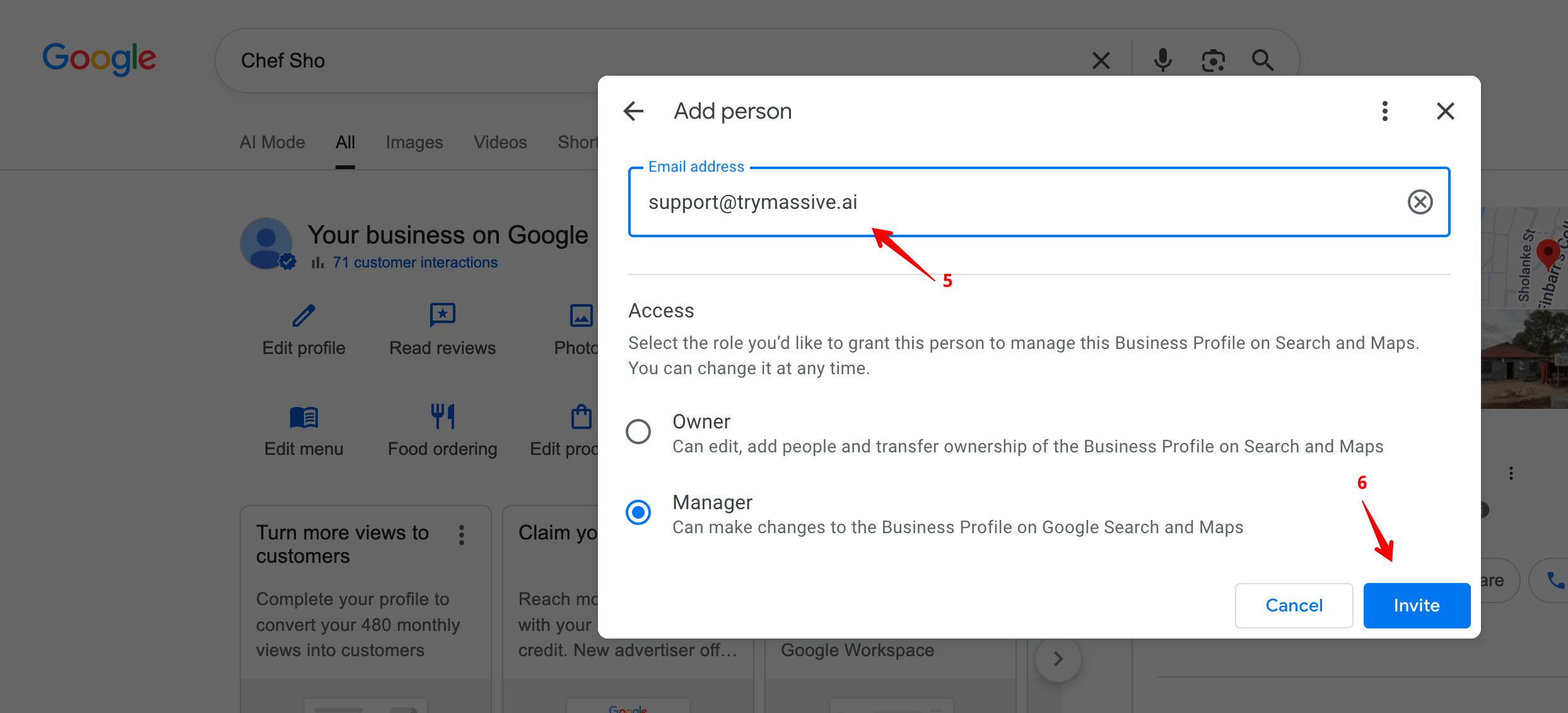
- Enter
[email protected]in the Email address field. - Under Access, select Manager.
- Click Invite.